
Why an Aesthetic Study Timer Actually Helps You Focus
By groupstudytimer · Last updated 4 July 2026
You already know how a messy desk feels. Old mugs, loose paper, tangled cables — before you've read a single line you're a little on edge. Most people clear their desk before a serious study session without thinking about why. It just helps.
Your screen is the other half of that desk, and it usually gets ignored. If you're prepping for JEE, NEET, or your finals, you're staring at a laptop for hours, and if the timer you're using is bright, cluttered, and interrupted by ads, it's doing the same thing a messy desk does — costing you a bit of attention the whole time, even when you don't consciously notice it.
That's the honest case for a clean, good-looking timer: not that pretty design is magic, but that a calm screen gives your attention one less thing to fight. This guide covers why that matters, how to set up a study space (screen, sound, and light) that's easy to focus in, and the small mistakes that undo the whole effect.
Your Attention Has a Budget
Think of your focus as a limited budget for the session. When you sit down to learn something hard, you want as much of that budget as possible going to the actual material. The trouble is your brain also spends some of it just processing whatever's on the screen — colours, buttons, movement, ads.
A loud, badly designed app quietly taxes you. Every flashing banner and cluttered menu is something your brain has to keep ignoring, and ignoring things isn't free. You get tired faster, lose your place more easily, and remember less — not because the subject got harder, but because you were spending attention on the tool instead of the topic.
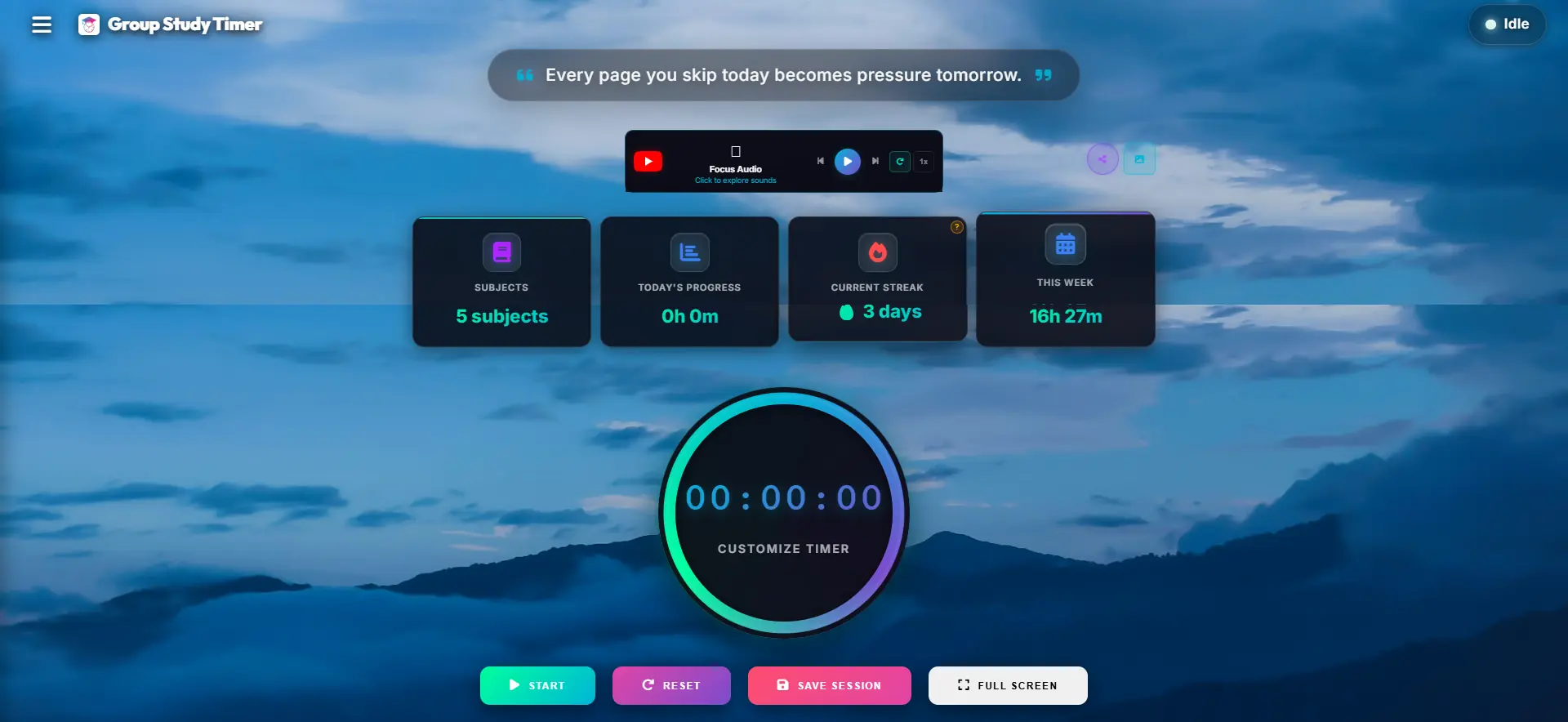
A plain, well-made timer fixes this by more or less disappearing. Simple layout, readable text, a dark background that doesn't shout — none of it competes for your attention, so more of your budget stays on the work. That's the whole benefit, and it's a real one.
A note on getting "in the zone"
That state where an hour passes and you barely noticed — flow — is much easier to slip into when nothing keeps yanking you out of it. You can't force it, but you can remove the interruptions that break it: notifications, clutter, a jarring alarm. A calm setup mostly just clears the path.
What Actually Changes With a Cleaner Setup
A few practical things get better when the tool you stare at all day is calm instead of chaotic.
Your eyes last longer
If you're studying into the night or logging six-hour screen days, a blazing white interface is genuinely tiring — dry eyes, that heavy-headed feeling, sometimes a headache. A dark background with soft, not-too-harsh text is easier to sit in front of for long stretches. It's less about looking cool and more about not wanting to quit an hour early because your eyes ache.
Starting gets easier over time
Opening the same clean screen right before you study, day after day, turns into a cue. After a couple of weeks your brain starts associating that screen with "we're working now," and the usual fifteen minutes of faffing before you actually begin shrinks. It's a small habit loop, but it takes real friction out of getting started.
The session feels less stressful
Prep is stressful enough without a timer that ends the block with a jarring alarm. Soft colours and a gentle end-of-session sound make tracking hours feel less like a countdown you're losing and more like a steady rhythm you're keeping. Sounds minor; over months it's the difference between a routine you dread and one you don't mind returning to.
Setting Up a Space That's Easy to Focus In
A clean timer works best when the rest of your setup matches it. None of this is expensive — it's mostly about removing things rather than adding them.
- 1. Clear the screen. Put the timer in full screen, or at least close every tab you don't need for the task. Tucked-away tabs are just future distractions waiting for a dull moment. The goal is that the only thing you can click is your work.
- 2. Add some quiet background sound. Total silence can backfire — you start noticing every creak and voice in the house. Low lo-fi, rain sounds, or plain brown noise fills that space without pulling focus. Skip anything with lyrics; words compete with reading.
- 3. Sort out the lighting at night. In the evening, drop your screen brightness a little, keep the timer in dark mode, and use a warm desk lamp instead of a harsh overhead light. It's easier on the eyes and it gives your desk a small "this is the spot where I work" feel.
Small Things That Undo the Whole Effect
A calm setup is easy to cancel out. Three habits do it most often.
Leaving notifications on
It doesn't matter how clean your screen is if a message pops up in the corner every few minutes — each one resets your concentration whether you reply or not. Put the laptop on Do Not Disturb before you start. This single change does more than any amount of nice design.
Studying on your phone
You can run a timer on your phone, but the phone is also the single most distracting object you own. Even face-up on the desk it pulls at you. If you can, keep the timer on a laptop and leave the phone in another room — the distance alone removes most of the temptation.
Watching the clock tick down
The point of a good timer is that you can forget it's there. If you spend the block glancing at the seconds, you're not really working — you're waiting. Set it, start it, then turn your attention to the task and let it tell you when the time's up.
Comparing Your Digital Options
Not all timers are created equal. The design philosophy behind a tool dramatically impacts how you use it.
Frequently Asked Questions (FAQ)
Does dark mode really help with studying?
Absolutely. Dark mode significantly reduces the amount of blue light emitted by your screen. This reduces ocular fatigue, prevents tension headaches, and ensures your natural melatonin production isn't entirely disrupted if you are studying late into the night.
Why is a minimalist interface better for ADHD?
Students with ADHD often struggle to filter out extraneous stimuli. A busy UI with multiple colors and buttons provides too many opportunities for the brain to wander. A minimalist interface provides only the absolute essentials, acting as a visual anchor that keeps the mind from drifting.
Is this aesthetic timer actually free, or are themes locked behind a paywall?
Unlike other platforms that charge $5/month just to change your background color to dark mode, GroupStudyTimer provides its premium aesthetic interface to every single student for absolutely zero cost.
Can I track my subjects alongside using the timer?
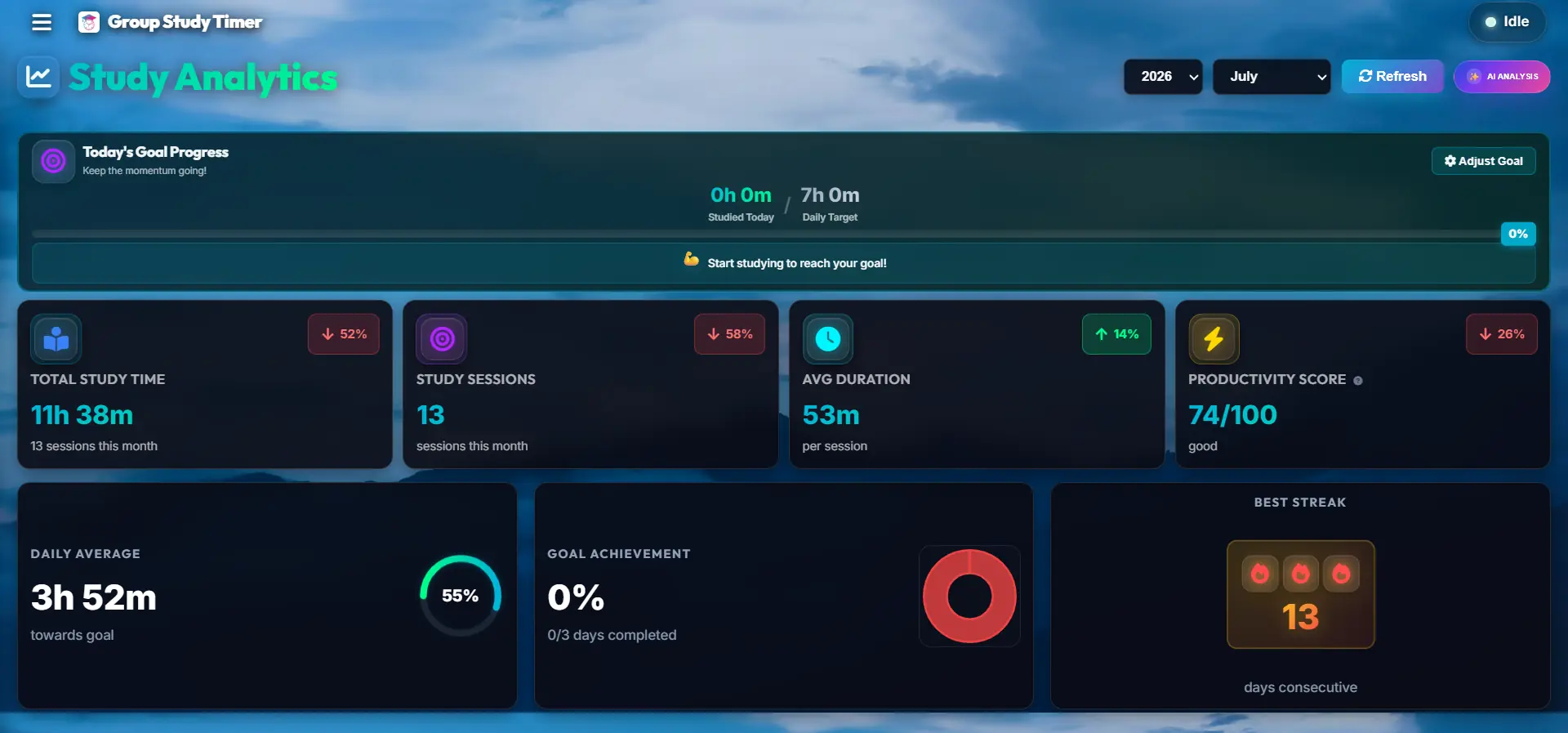
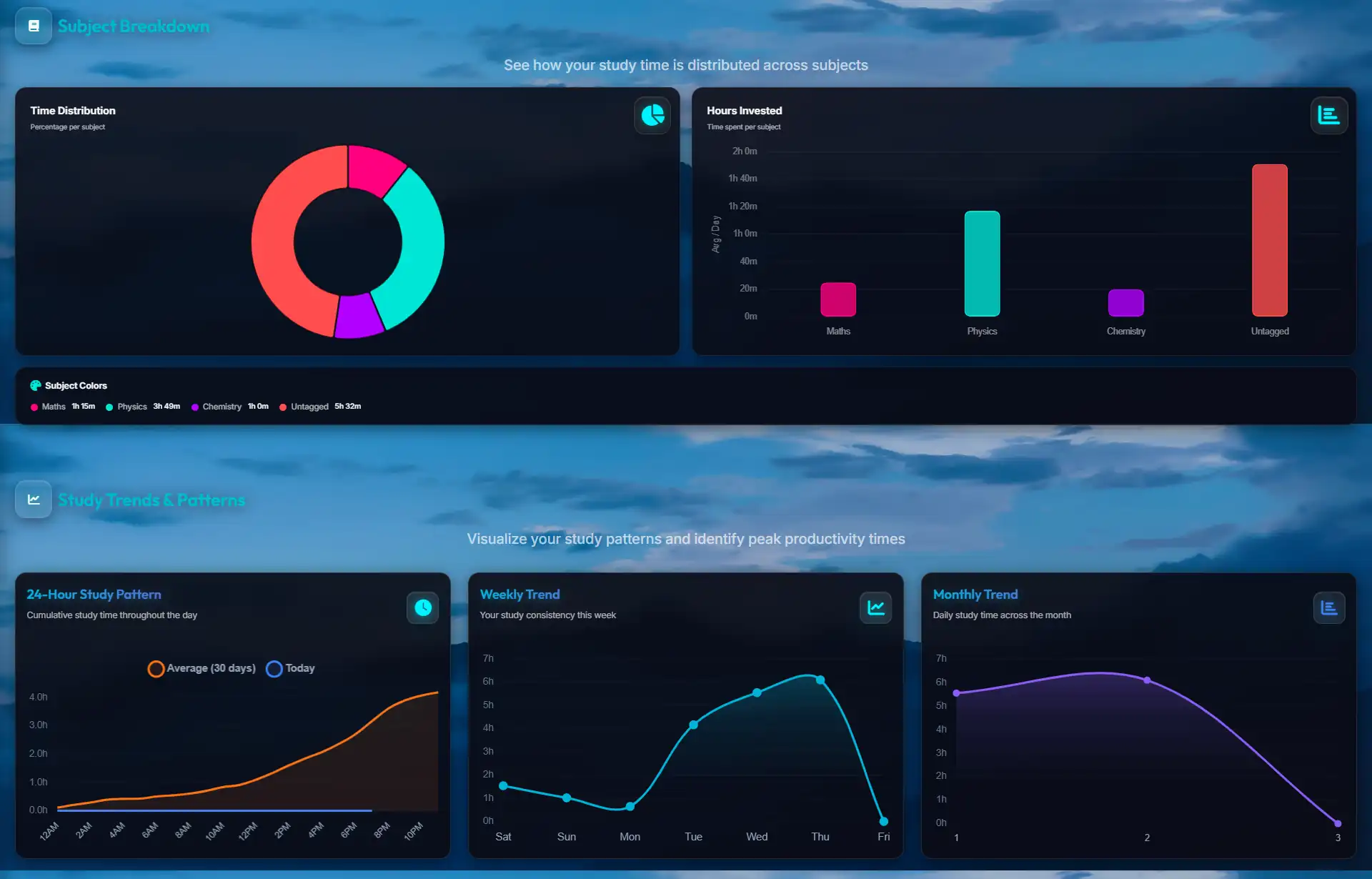
Yes. Despite its clean appearance, the aesthetic timer houses a powerful engine underneath. You can select specific subjects, log your exact hours, and view beautiful analytical heatmaps of your weekly progress.
Does the aesthetic timer have a loud alarm?
No. Getting jolted out of a flow state by a blaring siren is a terrible experience. Our timer utilizes gentle, unobtrusive audio cues that respectfully notify you when your session is complete without causing a spike in adrenaline.
Why We Cared About How It Looks
Most study timers we tried looked like they hadn't been touched since the early 2000s — bright white, clunky, and wrapped in ads. It seemed backwards. If you're going to stare at one tool for hours a day during the hardest exams of your life, the least it can do is be easy to look at.
So we spent the time on the boring details — the spacing, the contrast, the way things fade in and out — because those are the things you feel without noticing. The aim was simple: open it and feel like you've sat down at a tidy desk, not started a stopwatch that's counting against you. And all of it stays free, because a calm screen shouldn't be a paid upgrade.
Explore More Productivity Strategies
Ready to dive deeper into optimizing your study habits? Check out our specialized guides tailored for different learning styles:
- 👉 The Science of Measurement: Why a Study Tracker Transforms Exam Prep - Learn how data and heatmaps prevent burnout and balance your syllabus.
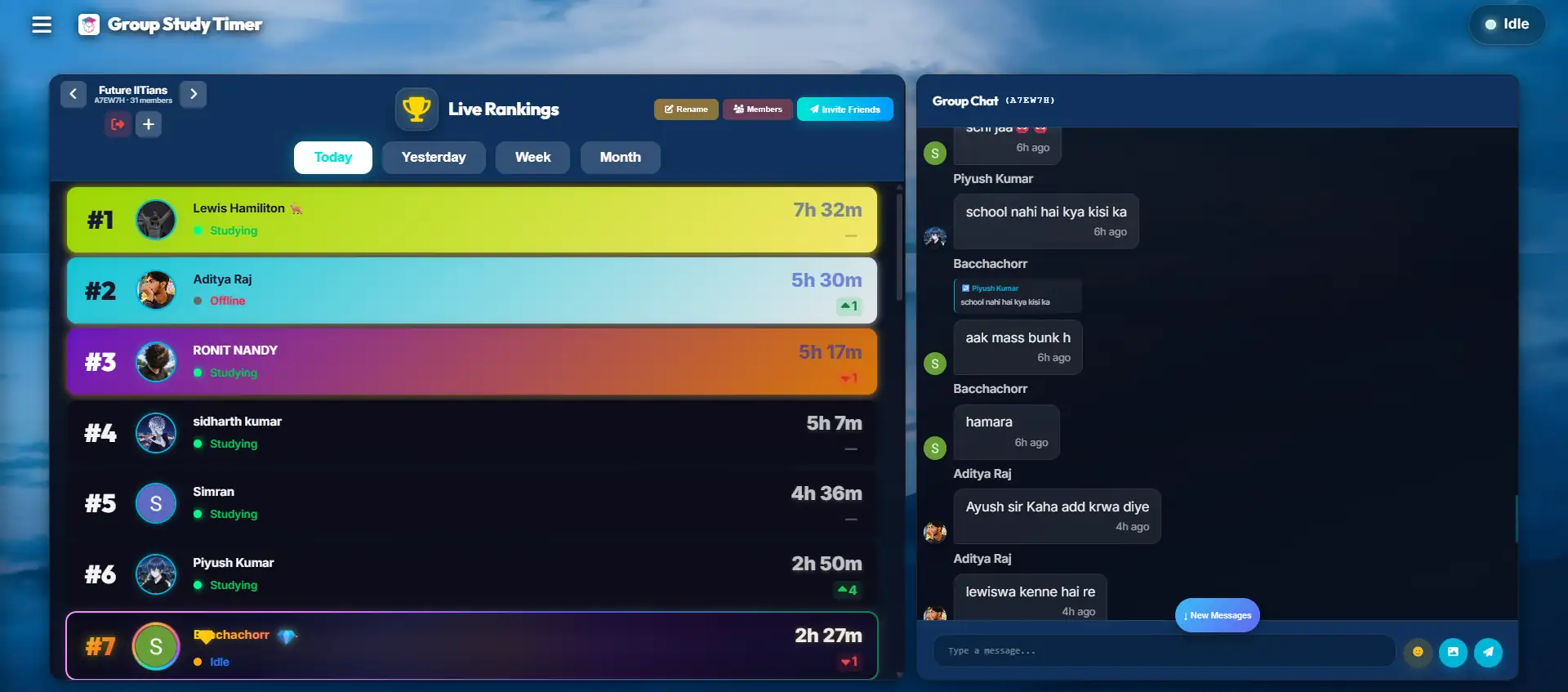
- 👉 Surviving Exam Season: The Power of Virtual Study Rooms - Discover how peer accountability and body doubling can cure academic isolation.
- 👉 Mastering Your Time: The Ultimate Timer Hack - Read the cognitive science behind Parkinson's law and urgency.
Give Your Eyes a Calmer Screen
A dark, quiet, ad-free timer you can sit in front of for hours without wearing out. Try it for a session and see if a cleaner screen makes it easier to stay put. It's free.
No credit card required. Instant access.